Human in the loop
Human in the loop is a safety feature that gives you manual control over configuration changes before they are applied to your database. When enabled, DBtune pauses before making a new change and asks for the user’s approval.

Why use the Human in the loop feature?
Human in the loop is useful when you want to:
- Manually review changes before they are applied to your production database
- Maintain an approval workflow for compliance requirements
- Understand DBtune's recommendations before applying them
- Prevent unintended changes during critical periods
Enabling Human in the loop
- Navigate to your database's Tuning tab
- Open the Advanced settings section
- Toggle Human in the loop to Enabled
Once enabled, all future tuning sessions for this database will require manual approval.
How it works
When Human in the loop is enabled, DBtune creates a pending configuration every time it wants to apply a new configuration to your database. The user must approve each configuration before it is applied.
This applies to all scenarios:
- During tuning, when DBtune finds a better configuration.
- When tuning succeeds, for the final best configuration.
- When tuning fails, to revert to the baseline configuration.
- When a configuration times out, DBtune proposes a move back to the baseline settings. This will not be applied until you explicitly approve it.
Reviewing a configuration
When DBtune wants to apply a new configuration, you'll see a banner in the Tuning summary indicating a configuration is awaiting review.
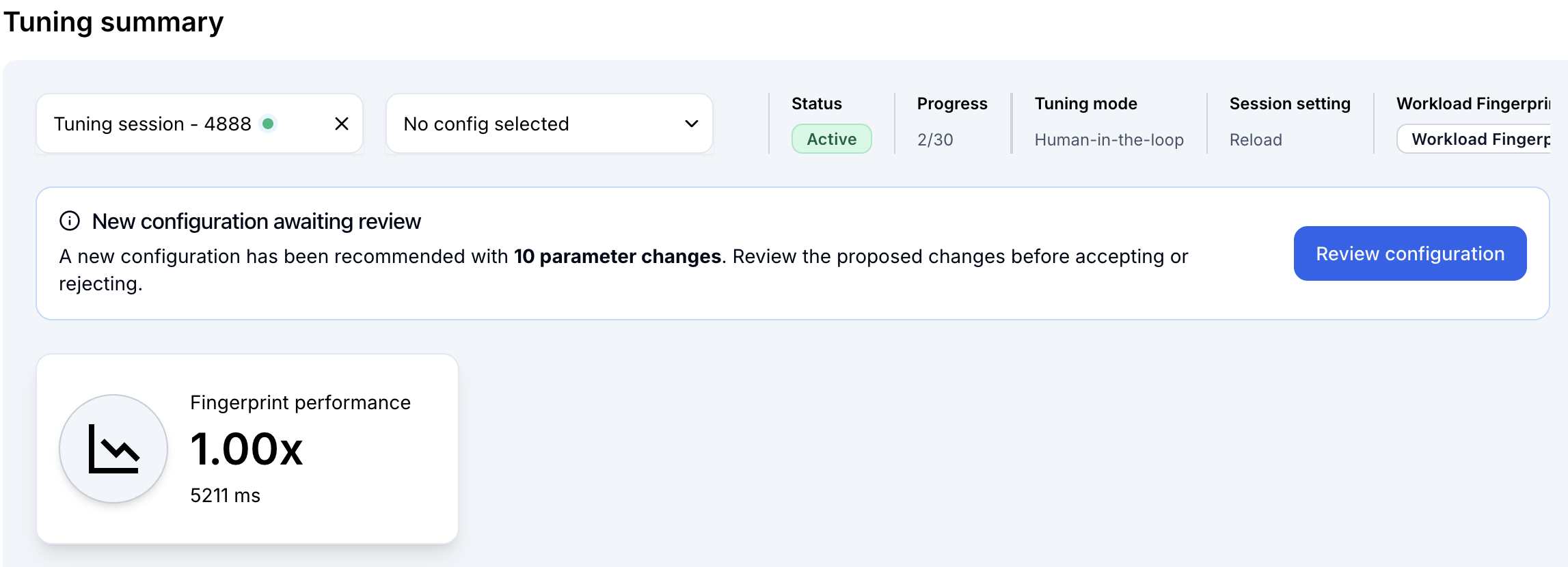
Click Review configuration to open the review modal.
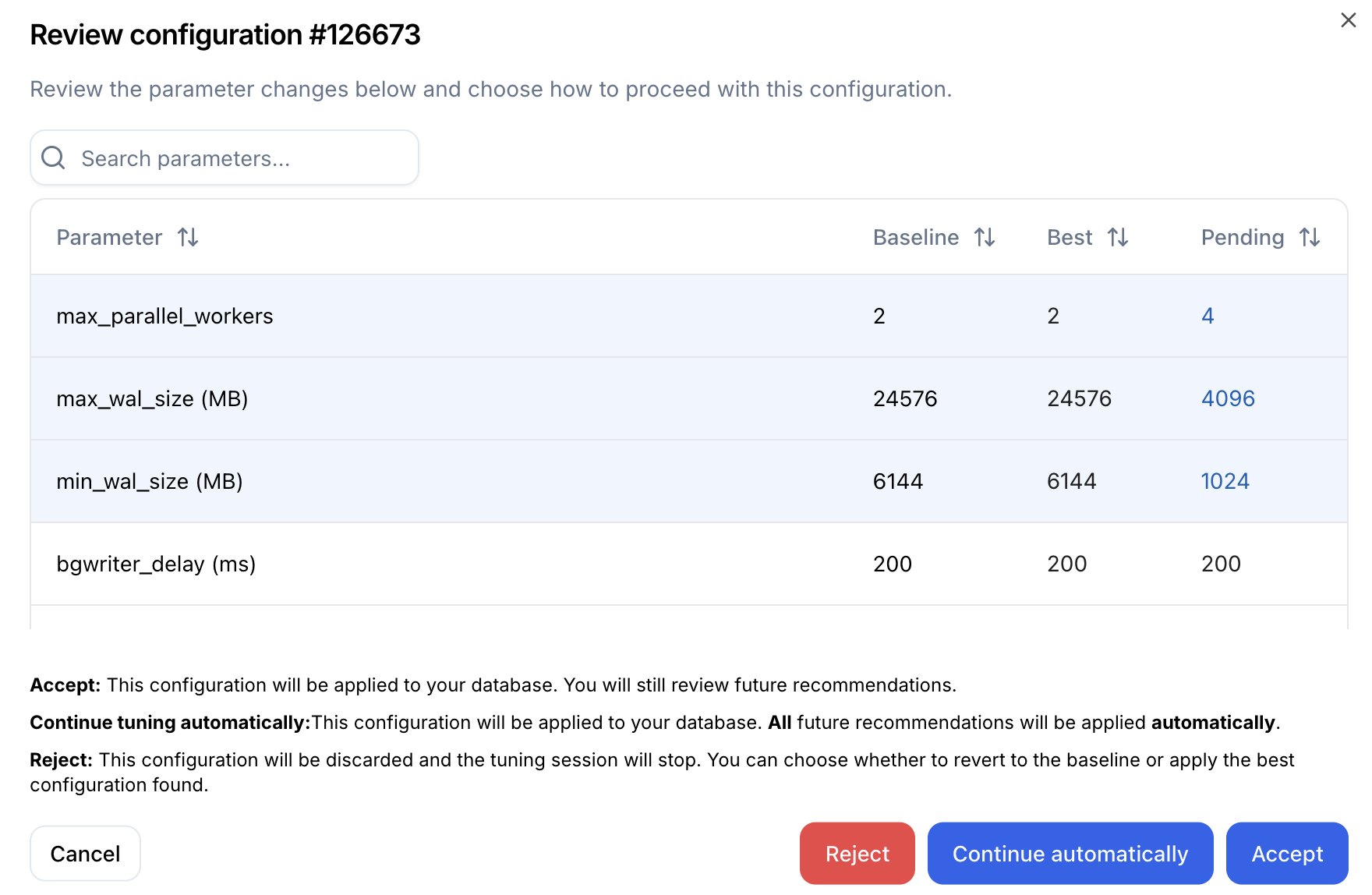
The modal shows each parameter value and compares the baseline configuration with the best configuration found so far during the current tuning session, and the pending configuration which is being recommended. Values that differ from the baseline are highlighted in blue to make them easy to identify.
You have three options:
- Accept — Approve and apply this configuration. The user will be requested to approve and apply all future recommendations.
- Continue automatically — Apply this configuration and disable Human in the loop. In this case future recommendations will be applied automatically. This is useful in case the user, after manually approving some configurations, decided to trust DBtune to make the future recommendations automatically.
- Reject — Discard this configuration and stop the tuning session. DBtune will prompt you to ask if you would like to revert to the baseline configuration or apply the best configuration found so far during the current tuning session.
What happens when a session fails
If a tuning session fails:
- The session is marked as failed
- A pending configuration is created with the baseline configuration parameter values
- The user receives a notification about the tuning session failure
- The user must approve the baseline configuration before it is applied
What happens when a configuration times out
If you don't respond to a pending configuration within 3 days:
- The session is marked as failed with reason "Pending configuration timeout"
- A new pending configuration is created with the baseline settings
- The user receives a notification
- The user must approve the baseline configuration before it is applied