Recommendations
Overview
Alongside its autonomous tuning, DBtune surfaces recommendations: advisory suggestions that tell you what DBtune would set and why, while leaving the change and its timing to you. They cover restart-required parameters, which need a maintenance window to take effect.
Recommendations vs. autonomous tuning
DBtune combines two systems. Autonomous tuning applies changes for you to dynamic parameters that reload with no downtime. Recommendations are advisory: DBtune proposes a value but you apply it yourself, in your own PostgreSQL configuration, for restart-required parameters where the decision should stay with you.
See Tuning modes and Human in the loop for how autonomous tuning applies changes.
Where you see them
Recommendations appear in a dedicated Recommendations section at the top of the Database dashboard. Each available recommendation is shown as its own card. When there is nothing to recommend — your settings are already reasonable, or there isn't enough data yet — the section does not appear.
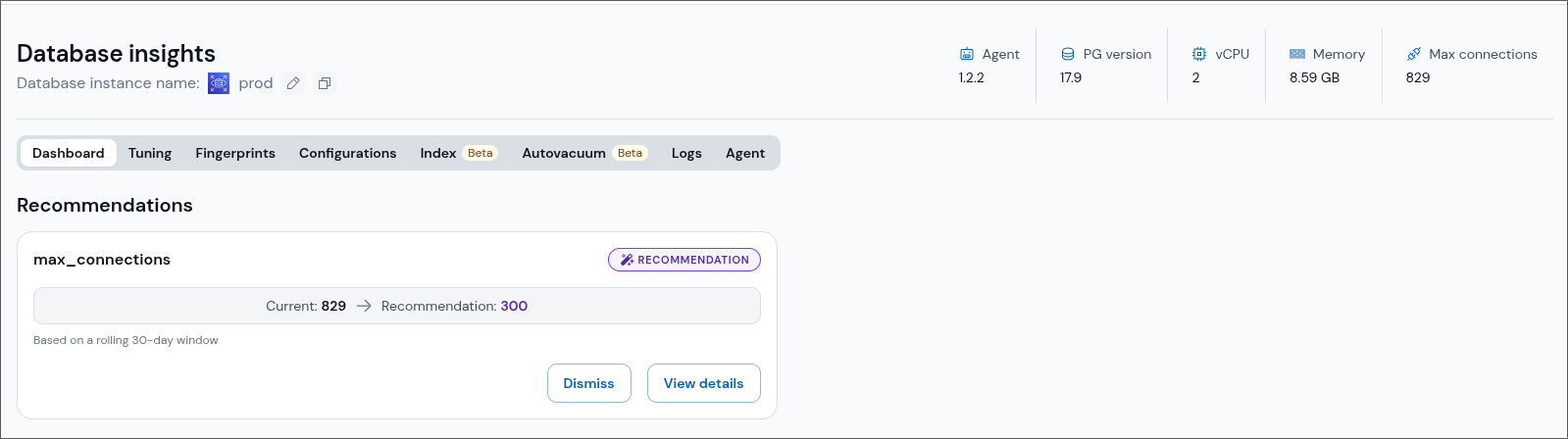
Anatomy of a recommendation card
Each card carries a purple Recommendation badge and shows the change at a glance as Current → Recommendation, with a short caption explaining what the value is based on (for example, "Based on a rolling 30-day window").
Two actions are available on every card:
- View details opens a modal that explains the finding in plain language, using values read from your own database, followed by a caution banner about the limits of the analysis.
- Dismiss hides the recommendation for two weeks. If the condition still holds after that window, the recommendation reappears. Dismissing never changes anything on your database.
DBtune never applies a recommendation for you. Restart-required parameters are something you change in your own PostgreSQL configuration, during a maintenance window that suits your hosting.
Available recommendations
max_connections— flags when the setting is higher than your workload needs and proposes a tighter, safer value.
Coming soon
More recommendations for restart-required parameters are on the way:
shared_buffers— proposes a better size when it is too small to cache your working set, when the cache hit ratio is low, or when it is large enough to risk memory pressure.max_worker_processes— flags when the setting is below the provider default for your vCPU count and proposes a value that leaves headroom for parallel queries and background work.